What does client onboarding automation actually do?
It takes the moment a contract is signed and handles the setup that normally follows, in minutes instead of days. The details are entered once, at signing, and every other system gets them from there.
If you have ever watched a signed job sit for three days because the PM was at a site, the office assumed the PM had it, and the folders did not exist yet, you know the problem. The contract is a win. The gap after it is where momentum leaks.
What are the steps from signed contract to first task?
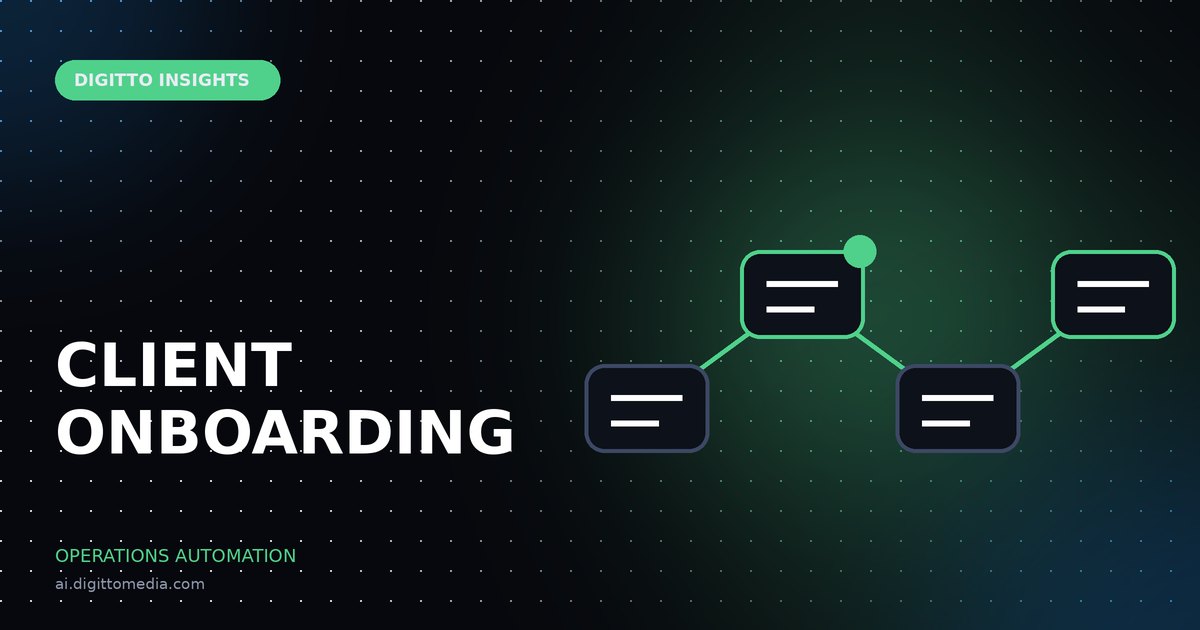
The exact order varies by firm, but the backbone is the same. Here is a workflow we would sketch for a contractor or professional services business:
- Contract signed. The signature event is the trigger. Nothing else needs to start it.
- Record created. A client and project record appears in your CRM or accounting system, filled with the contract's name, scope, value, dates and contacts.
- Folders and project set up. A standard folder structure is created, a project is opened in your management tool, and the contract is filed in the right place.
- Kickoff scheduled. A kickoff meeting is proposed based on the owner's calendar and the client's contact details.
- Welcome sent. A welcome message with next steps and who to call goes to the client.
- Owner assigned. A named person gets the first task, with the checklist and context attached.
Each step is small. The value is in the chain: no step waits for someone to remember it.
- 1Signed
- 2Record
- 3Project
- 4Kickoff
- 5Owner
What should be automated and what should a person do?
A useful rule: automate anything that is the same every time, and keep a person on anything that needs judgment or carries relationship risk.
- Automate: creating records, copying contract data, building folders from a template, drafting the kickoff invite, filing documents, creating the first task list, reminders when something stalls.
- Person decides: who owns the job, whether scope or terms look unusual, how to handle special client requirements, and the tone of the first real conversation.
- Person approves, automation drafts: the welcome message, the kickoff proposal and any pricing or schedule commitment.
The last category is where an AI worker earns its keep. It can read the contract, pull the key terms and write a first draft of the welcome note. A person reads it, edits if needed and sends. That is the pattern behind our Draft mode: nothing is sent without approval.
Where should approvals sit in the workflow?
Put them where a mistake would be expensive or visible to the client. For most firms that means three checkpoints.
First, a quick check of the extracted contract data before records are created, so a misread date or value does not spread into every system. Second, owner assignment, since only you know who has capacity. Third, anything that goes to the client before it goes.
Keep approvals fast. A one-click review inside the tools your team already uses beats a separate portal nobody opens. If an approval sits for a day, the automation should nudge the approver, then escalate.
How do you measure whether it works?
Pick a few numbers and track them before and after. Keep them simple enough to pull without a project.
- Time from signature to first task assigned. The headline measure. Minutes is the goal, but your own baseline matters more than any benchmark.
- Time from signature to kickoff held. This shows whether the client feels the difference.
- Setup errors found later. Wrong contact, missing folder, duplicate record. These should fall.
- Manual touches per new client. Count how many times someone retypes or copies data.
- Exceptions. How often a person had to step in, and why. A good exception list tells you what to improve next.
For example, say your office currently needs about a day to get a new project fully set up, and the work involves four people. If the workflow cuts that to an hour of review, the value is not only the labor. It is the earlier start. That is an illustrative example, not a promise, so measure your own baseline first.
What can go wrong, and how do you avoid it?
Three things come up. Messy source data is the first: if contracts arrive in five formats, extraction needs a review step. Second, a process nobody agreed on: automation copies your habits, so settle the folder template and the checklist before you build. Third, silent failure: if the signature event does not fire, nothing starts and no one notices.
The fix for the last one is a daily summary of new signed contracts against new projects created. When the counts do not match, you know the same day. Add logs of every action and a pause control, and a bad day stays small. Our security approach covers those limits.
How do you get started?
Start with one contract type and one template, not your whole business. Write down the current steps, who does each one, and how long the gaps are. That page alone often shows where the delay lives.
This kind of setup falls under our internal operations automation work, and the Ops agent is the worker blueprint built for it. The free 45-minute assessment is where we map your steps, pick what to automate and put a fixed quote on the blueprint.
Frequently asked questions
Which systems does onboarding automation connect?
Typically your e-signature tool, CRM or accounting system, file storage, project management tool, calendar and email. We build inside the software you already use.
Will the client get an automated welcome message?
Only if you want that. In our approach, the message is drafted automatically and a person approves it before it is sent.
Is this worth it for a small number of new clients a month?
It depends on how long setup takes now and how much a delayed start costs you. The assessment is a way to put real numbers on that.
How long does it take to build?
It depends on how many systems are involved and how standard your process is. After the assessment, you get a fixed-quote blueprint that states scope and timeline.